Introducing NFC Tool: Read, Write, and Manage NFC Tags
NFC Tool is now available on iOS and Android. Read, write, and manage NFC tags: share WiFi, open links, save a contact, and more.
NFC Tool is now available on iOS and Android.
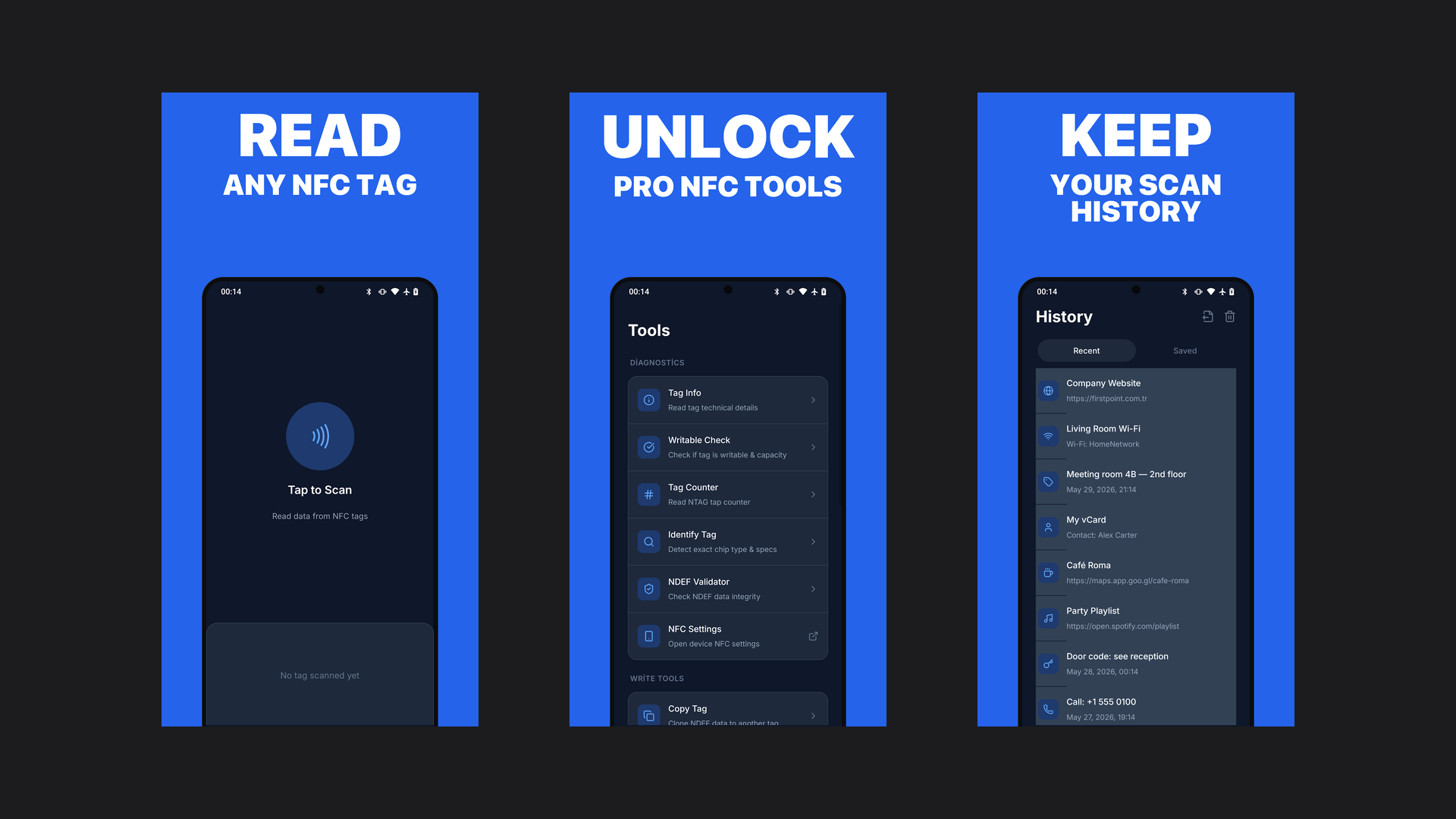
NFC Tool turns cheap NFC stickers into one-tap shortcuts. Write your WiFi to a tag so guests just tap to join, open a link or app with a tap, save a digital business card, or read and inspect any tag to see what is on it. It reads, writes, and manages tags and speaks 73 languages.
Seven practical uses for NFC tags
An NFC tag is a tiny chip in a sticker, card or key fob. It has no battery: your phone powers it for a moment when you tap, reads what is stored on it and acts on it. Tags cost very little, and a handful of them can take a lot of small friction out of a day. Here are seven uses that earn their place.
1. Let guests join your WiFi with a tap
Write your network name and password to a tag and stick it by the router, on the fridge or in the guest room. Guests tap instead of spelling out a long password. Most Android phones offer to join straight from the tag; iPhones handle WiFi tags less consistently, so test with one and keep the password written down as a fallback. Anyone who taps the tag can read the password, so use it where you would share the password anyway, ideally for a guest network.
Tag fit: NTAG213 (144 bytes) holds a typical network name and password. Pick NTAG215 if your password is very long.
2. Hand out a digital business card
Put a tag on the back of your phone case or on a card, and let people tap to get your details. You have two options. A link to an online profile or contact page opens on almost any modern phone with no app installed. A full vCard (name, phone, email, website) lets phones that support it save you as a contact directly. vCards grow quickly, so keep only the fields you need.
Tag fit: NTAG213 for a link. NTAG215 or NTAG216 for a full vCard.
3. Open a link, menu or app page
The simplest and most compatible record is a URL. A tag on a café table can open the menu, one on a product can open its manual, one on a poster can open a sign-up page. Recent iPhones and Android phones open URL tags without any extra app, as long as the screen is on.
Tag fit: NTAG213 is plenty. Shorter URLs leave more room and read faster.
4. Trigger a bedside or desk routine
Automation apps can use a tag as a trigger. Tap the tag on your nightstand to turn on a sleep focus mode, dim smart lights and set an alarm. Tap the one on your desk to start a work playlist and a timer. On iPhone this is the NFC trigger in the Shortcuts app's personal automations; on Android, automation apps offer the same idea. Here the phone usually only needs to recognize the tag itself, so what is written on it matters less.
Tag fit: any tag works; a blank NTAG213 is the cheapest choice.
5. Label boxes, cables and equipment
Write a short text record to a tag on a storage box, a drawer of cables or a piece of shared equipment: what is inside, who owns it, when it was last serviced. Tap it with a reader app to see the note without opening anything. For many items, write a link to a shared list or spreadsheet instead, so you can update the details without rewriting every tag.
Tag fit: NTAG213 for short labels, NTAG215 for longer notes.
6. Find out what is on an unknown tag
Found a tag on a poster, a product or a hotel key card? A reader app shows what it holds: the record type, any link or text, the chip type (NTAG213, NTAG215, MIFARE and others), its memory size and whether it is locked. It is a good habit before trusting a tag in a public place, because a URL tag can point anywhere.
Tag fit: nothing to buy; this one is about reading.
7. Help a finder return your things
Stick a tag inside a luggage tag, on a laptop or on a key fob with a phone number, an email address or a link to a short "if found" page. Whoever finds it can tap and reach you. Use contact details you are comfortable sharing, since anyone can read the tag.
Tag fit: NTAG213. A key fob or hard tag survives daily use better than a paper sticker.
Choosing and writing tags
- NTAG213 (144 bytes): links, WiFi, short text and automation triggers. Cheap and widely compatible.
- NTAG215 (504 bytes): longer text or a fuller contact card.
- NTAG216 (888 bytes): large vCards with many fields.
- On-metal tags: ordinary stickers read poorly when stuck directly on metal. Use tags sold as on-metal or anti-metal for laptops, fridges and tools.
- Lock public tags when they are final. Anyone with a writer app can overwrite an unlocked tag. Locking makes it permanently read-only and cannot be undone, so test the tag first.
NFC Tool handles the tag side of all of this: it writes links, text, contacts and WiFi details, shows the tag info described in point 6, and can erase, format or lock a tag.
See the NFC Tool app page for FAQs, or get NFC Tool on the App Store and Google Play.