Introducing BlueRadar: Find Any Lost Bluetooth Device, No GPS Needed
BlueRadar is now available on iOS and Android: a hot-and-cold radar that finds lost Bluetooth devices using signal strength, no GPS needed.
BlueRadar is now available on iOS and Android.
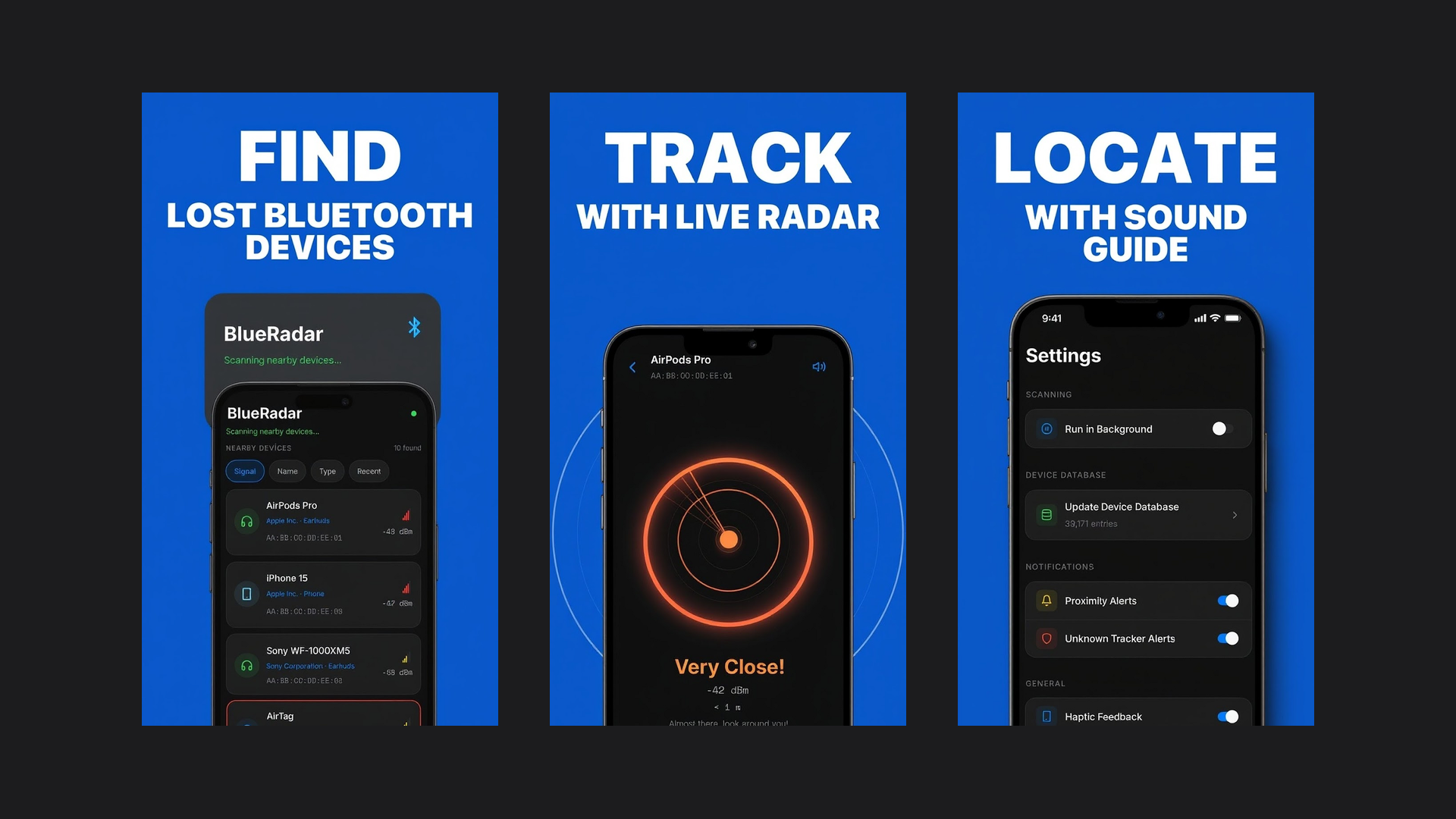
BlueRadar turns your phone into a hot-and-cold radar that helps you track down lost Bluetooth devices: earbuds, trackers, speakers, smartwatches, and more, using signal strength alone. There is no GPS involved, so it works indoors where things actually go missing. As you move around, BlueRadar tells you when you are getting "warmer" or "colder" and guides you straight to your device. It supports 72 languages and is free to download.
Why you can find a device without GPS
Bluetooth devices such as earbuds, trackers, smartwatches and speakers regularly send out short radio signals so that phones can discover them. Your phone can measure how strongly each signal arrives, a value called RSSI (received signal strength indicator). The closer you are to the device, the stronger the signal.
That is all you need. You do not have to know where the device sits on a map; you only have to know whether each step makes the signal stronger or weaker. It is the hot-and-cold game, played with radio, and it works indoors, exactly where GPS struggles and where most things get lost.
Signal strength is a direction, not a distance. Walls, furniture, a bag or your own body weaken it, and the reading jumps a little from moment to moment. Read the trend over a few seconds, not a single number.
How to search, step by step
1. Make sure the device is findable
The device must be switched on and broadcasting. Some devices broadcast less, or stop, while they are connected to another phone or computer, so if yours does not appear, turn off Bluetooth on your other devices and scan again.
2. Start where you last had it
Open the scan and pick your device from the list. If several entries have no name, walk a few steps and watch which one changes: that is usually the one near you. Begin in the room where you last used it.
3. Walk slowly and watch the reading
Take a few steps, pause for two or three seconds so the reading settles, then compare. Stronger means keep going; weaker means turn back and try another direction. In BlueRadar the radar shifts from blue to yellow to red as you get closer, with sound and haptic feedback that intensify as you approach.
4. Sweep room by room
If the signal is weak everywhere, the device is probably in another room or on another floor. Stand in each doorway for a few seconds and search the room with the strongest reading first.
5. Search close, then check the usual hiding spots
When the signal is strong, slow right down. Hold the phone at the height of each spot you check, since a device under the sofa reads differently from one on a shelf. The usual suspects: between and under sofa cushions, under the bed, jacket and coat pockets, bags and backpacks, gym bags, car seats and door pockets, and the laundry basket.
Limits worth knowing
- The device has to be powered. If the battery is completely flat, there is no signal to follow.
- Bluetooth range is short. Indoors it usually covers a room or two. If you left something at the gym or on a train, signal strength cannot reach it.
- It guides, it does not pinpoint. The reading tells you warmer or colder, not an exact spot, so the last meter is always a hands-on search.
When to use the maker's own find feature instead
If your device is part of a finder network, such as Apple's Find My or the finder app from your phone or earbud brand, start there when the device could be anywhere. Those networks can show a last known location on a map and often play a sound. Once you are in the right place, signal strength is a good way to close the last few meters, especially for devices that cannot ring or whose battery is too low to make a sound.
BlueRadar works with any device that broadcasts Bluetooth Low Energy, from earbuds and smartwatches to trackers, and it never collects your location.
Read more about how BlueRadar works, or get it on the App Store and Google Play.