Understanding .well-known/security.txt: How to Publish a Security Contact
security.txt (RFC 9116) is a plain-text file that tells security researchers how to contact you. What each field means, the file we publish at FirstPoint, how to sign it with PGP, and how to serve it correctly.
Someone just found a security bug in your website. A misconfigured header, an exposed endpoint, an old dependency with a known CVE. They want to tell you. Where do they send it?
For most sites the honest answer is "nowhere in particular." The report goes to a contact form that lands in a marketing inbox, to a sales@ address, to a social media DM, or to a support queue that treats it like a password reset. Sometimes it goes nowhere at all, because the researcher gave up looking. A surprising number of real vulnerabilities sit unreported not because nobody found them, but because nobody could find you.
security.txt fixes that with a few lines of plain text at a fixed address. This post explains what it is, walks through the file we publish at First Point, and covers the details that matter when you set up your own.
What security.txt is
security.txt is a small text file that tells security researchers how to contact you. It is defined in RFC 9116, published in 2022 after several years as a draft, and it lives at a fixed, well-known path:
https://example.com/.well-known/security.txt
The idea borrows from robots.txt: a file that is both human-readable and machine-readable, at a predictable location, so that anyone (or any tool) looking for the right contact can find it without guessing. Security scanners, bug bounty platforms and individual researchers check this path first. If it is not there, they start guessing, and guessing is where reports get lost.
The whole file can be as short as this:
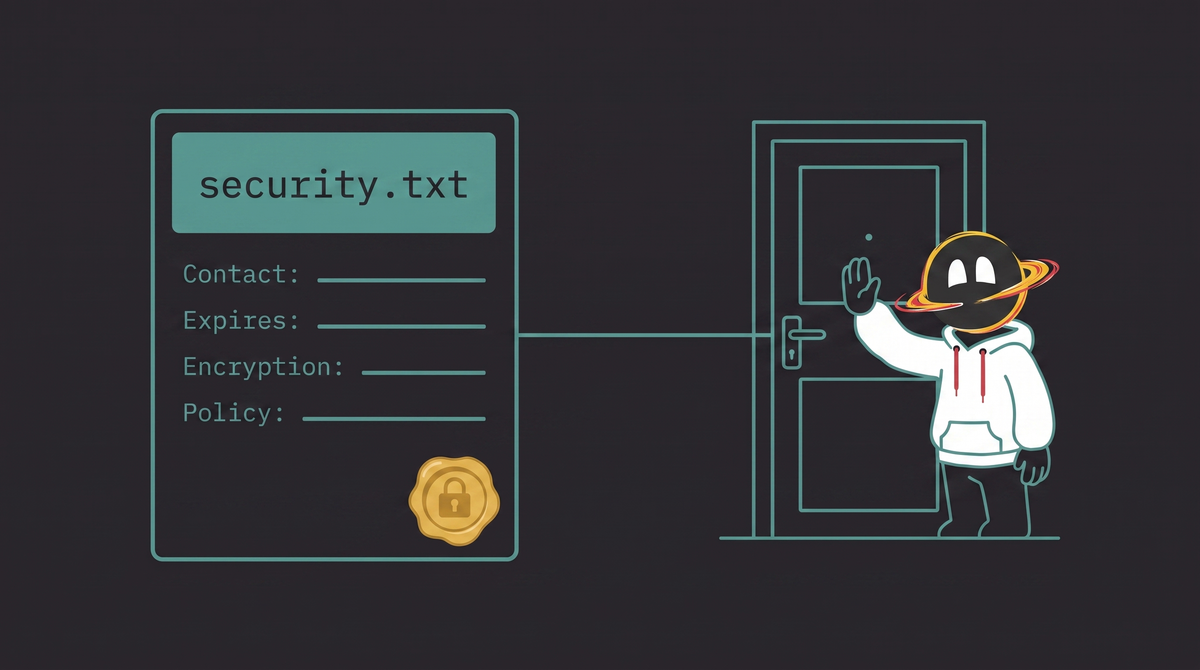
Contact: mailto:[email protected]
Expires: 2027-01-01T00:00:00.000Z
Those two lines are the only required fields. Everything else is optional.
The fields
Each line is a field name, a colon and a value. Field names are case-insensitive, and lines starting with # are comments.
- Contact (required): where to send reports. The value must be a URI, so email addresses are written as
mailto:, phone numbers astel:and web forms ashttps://links. You can list severalContactlines, ordered by preference. - Expires (required): a date and time after which the file should be considered stale. The RFC recommends keeping it less than a year in the future. This is the field people forget, and an expired
security.txttells a researcher the contact may no longer be monitored. - Encryption: a link to your public key, so sensitive reports can be encrypted. Usually a PGP key served over HTTPS.
- Policy: a link to your vulnerability disclosure policy: what is in scope, what is not allowed, how fast you respond, whether you pay bounties.
- Preferred-Languages: the languages you can handle reports in, as a comma-separated list of language tags. At most one such line.
- Canonical: the URL where this file officially lives. It matters most for signed files, because it stops a copy of your
security.txtfrom being passed off on a domain you do not control. - Acknowledgments: a link to a page thanking researchers who reported issues.
- Hiring: a link to your security job openings. Researchers who find bugs in your site are, after all, exactly the people you might want to hire.
Ours
Here is the file we serve at firstpoint.com.tr/.well-known/security.txt:
-----BEGIN PGP SIGNED MESSAGE-----
Hash: SHA512

# security.txt for First Point - https://www.rfc-editor.org/rfc/rfc9116
# Clearsigned per RFC 9116 section 2.3. /security.txt carries a
# byte-identical copy; both must be updated and re-signed together.

Contact: mailto:[email protected]
Expires: 2027-05-23T00:00:00.000Z
Encryption: https://firstpoint.com.tr/pgp-key.txt
Policy: https://firstpoint.com.tr/security-policy.txt
Preferred-Languages: en, tr
Canonical: https://firstpoint.com.tr/.well-known/security.txt
-----BEGIN PGP SIGNATURE-----
(signature lines elided here; fetch the live file to see them)
-----END PGP SIGNATURE-----
A few notes on the choices.
A dedicated mailbox. security@ is its own address, not an alias for a general inbox. Vulnerability reports should not compete with newsletters and invoices, and the people reading them should know what they are looking at.
A written policy, even without a bounty. Our policy says plainly that we do not run a bug bounty program, that we aim to acknowledge reports within two weeks, and that we will not pursue researchers who act in good faith and stay within the rules: no accessing user data, no denial of service, no public disclosure before we have had a chance to fix things. Writing that down does two things. It sets honest expectations, and it gives a researcher the legal comfort to send the report at all. That safe harbor sentence is the most important line in the whole document.
Two languages. We work in English and Turkish, so we say so. It costs nothing and saves a researcher from wondering whether a report written in Turkish will be read.
A key and a canonical URL. The key is there for anyone who wants to encrypt the details of a serious issue. The canonical URL matters because we also sign the file, which brings us to the next point.
Signing it
Anyone can write a text file. To let researchers check that the file really comes from you and has not been tampered with, RFC 9116 allows the file to carry an OpenPGP signature.
The method the RFC describes (section 2.3) is a cleartext signature: the whole file is wrapped in BEGIN PGP SIGNED MESSAGE and BEGIN PGP SIGNATURE blocks, produced with:
gpg --clearsign --output security.txt.signed security.txt
That is what we use. The alternative is a detached signature, served next to an untouched file as security.txt.sig:
gpg --detach-sign --output security.txt.sig security.txt
We started with the detached style, because it keeps security.txt itself perfectly plain, and later switched to clearsigning. The trade-off is worth stating honestly. The armor lines make an inline-signed file slightly less pretty to read. But a detached .sig is easy to let go stale: edit the file, re-sign one copy and not the other, and verification quietly breaks while the text still looks fine. With a cleartext signature, the text and its signature travel together. Today the same clearsigned file is served at both /.well-known/security.txt and the legacy /security.txt, so there is exactly one thing to sign and one thing to check.
Verifying takes a few commands: fetch the public key linked from the Encryption field, import it, then check the file itself, since the signature travels inside it.
curl -sO https://firstpoint.com.tr/pgp-key.txt
gpg --import pgp-key.txt
curl -sO https://firstpoint.com.tr/.well-known/security.txt
gpg --verify security.txt
Whichever style you choose, include the Canonical field before signing. Without it, someone could copy your validly signed file onto another domain and point researchers at contacts you never listed. With it, the signature also covers the statement "this file belongs at this URL."
One consequence: every time you edit the file, including the annual Expires bump, you have to sign it again. A stale signature is worse than none, so put the edit and the signing step in the same script.
Serving it
The requirements are simple, and easy to get slightly wrong on static hosts.
- HTTPS only. A
security.txtserved over plain HTTP could be altered in transit, which defeats the point. The RFC requires HTTPS. - Plain text, UTF-8. Serve it as
text/plain; charset=utf-8. Hosts that pick MIME types from file extensions handle.txtcorrectly, but check the response headers once anyway. - The
.well-knownpath. The file belongs at/.well-known/security.txt. A copy at the top-level/security.txtis allowed for compatibility with older tools, but the well-known path is the one that counts, and if you keep both they must say the same thing. A redirect from the legacy path is the cleanest option.
On nginx, a .txt file under your document root is already served as plain text. Add a charset and redirect the legacy path:
# inside the server block
charset utf-8;

location = /security.txt {
    return 301 https://$host/.well-known/security.txt;
}
On a static host or a framework with a public directory (Next.js, Astro, Vite and friends), drop the file in public/.well-known/security.txt and it is served as-is. If the host lets you write header rules, pin the content type for that path so a future default does not surprise you.
Whichever way you serve it, run the result through the validator at securitytxt.org once. It catches the common mistakes: a missing Expires, a bare email address in Contact without mailto:, or a file that is only reachable over HTTP.
The fine print
- It is a contact card, not a security control. Publishing one does not make your site safer by itself. It makes the reports that would otherwise have been lost land where someone can act on them.
- Expect some noise. Once the file is up you will receive a share of low-effort reports: a missing header here, a "vulnerability" that is a documented feature there, sometimes with a request for payment attached. A policy that states clearly whether you pay bounties keeps this manageable. The occasional genuine report makes the noise worth it.
- Someone has to read the mailbox. The
Contactaddress must be watched by a person who can triage a security report and reach whoever can fix the problem. An unattendedsecurity@is a promise you are not keeping. - Put
Expireson a calendar. A file that expired two years ago tells researchers that nobody is home. - It is becoming expected. The US Cybersecurity and Infrastructure Security Agency has directed federal agencies to publish one, and the Netherlands lists it among the standards its public sector must apply. For a private company it is still optional, but its absence is starting to look like an oversight.
Small files, clear signals
Well-known paths are quietly becoming the way servers talk to the automated half of the web. We have written about llms.txt for AI systems, HSTS for browsers, and traffic-advice for Chrome's prefetch proxy. security.txt is the oldest and most human of the family: a few lines of text that make sure the person who found your bug can also find you.
If you enjoy this kind of practical engineering writing, subscribe below. We publish notes like this alongside updates on what we are building at First Point.